Turn AI agents intodigital employees you can see and control
A workflow that runs on a schedule with approval gates on key operations is a digital employee—it produces reports, reviews ad campaigns, and replies to reviews every day, and you can see everything it did at each step and how much it cost.
A day in the life of a digital employee
Take ad campaigns as an example. This timeline is what "runs on a schedule with approval gates on key operations" looks like in practice.
A person appears just once, at 10:30: a glance at the bid suggestions, with values editable inline; it executes only once approved, and nothing changes on rejection or timeout.
Learn about Approval GatingThe Numbers Add Up
How many tokens and how much money each run costs is recorded down to the step level; the analytics dashboard is built in, so you don't guess from the month-end bill.
- Every step's token usage and cost on the execution timeline is recorded per run and queryable anytime
- After a failure, rerun from a specified step, with completed LLM steps not billed again
- Spend is controlled through approval gates and maxRuns caps: AI only proposes, write actions need human approval, and chained tasks have a maximum run count
- The dashboard reports success rate, duration, and usage by workflow, so high-cost processes stand out at a glance
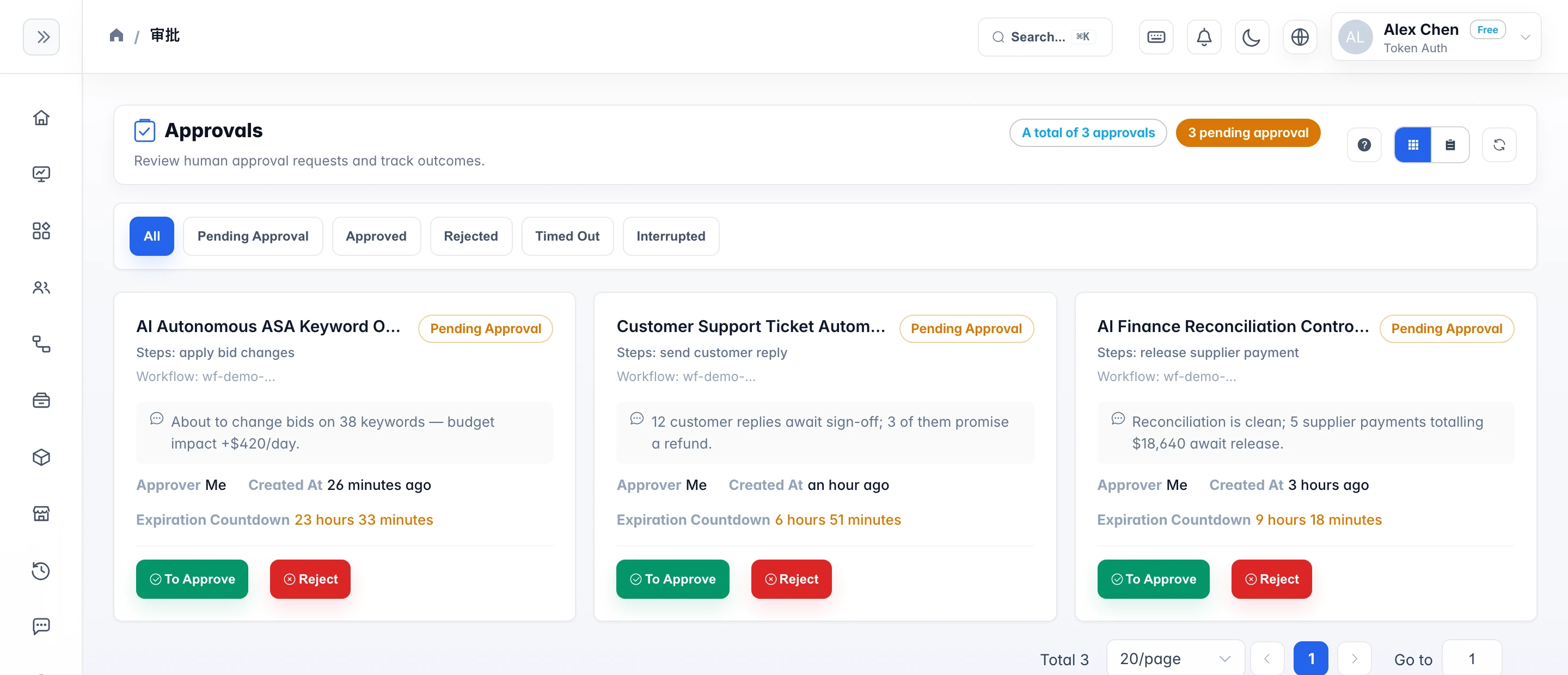
Control built into the product
Each item below is a feature you can turn on right in the product; Enterprise-only ones are marked.
Four stages, from individual use to multi-department scale
No need to roll out company-wide from day one; nail one thing per stage, then move to the next.