Every execution keeps a complete record
Every time a workflow runs, the step timeline, logs, token usage, and cost are all recorded line by line. When something goes wrong, set a breakpoint to inspect variables and rerun from the failed step; after a service restart, unfinished executions resume automatically.
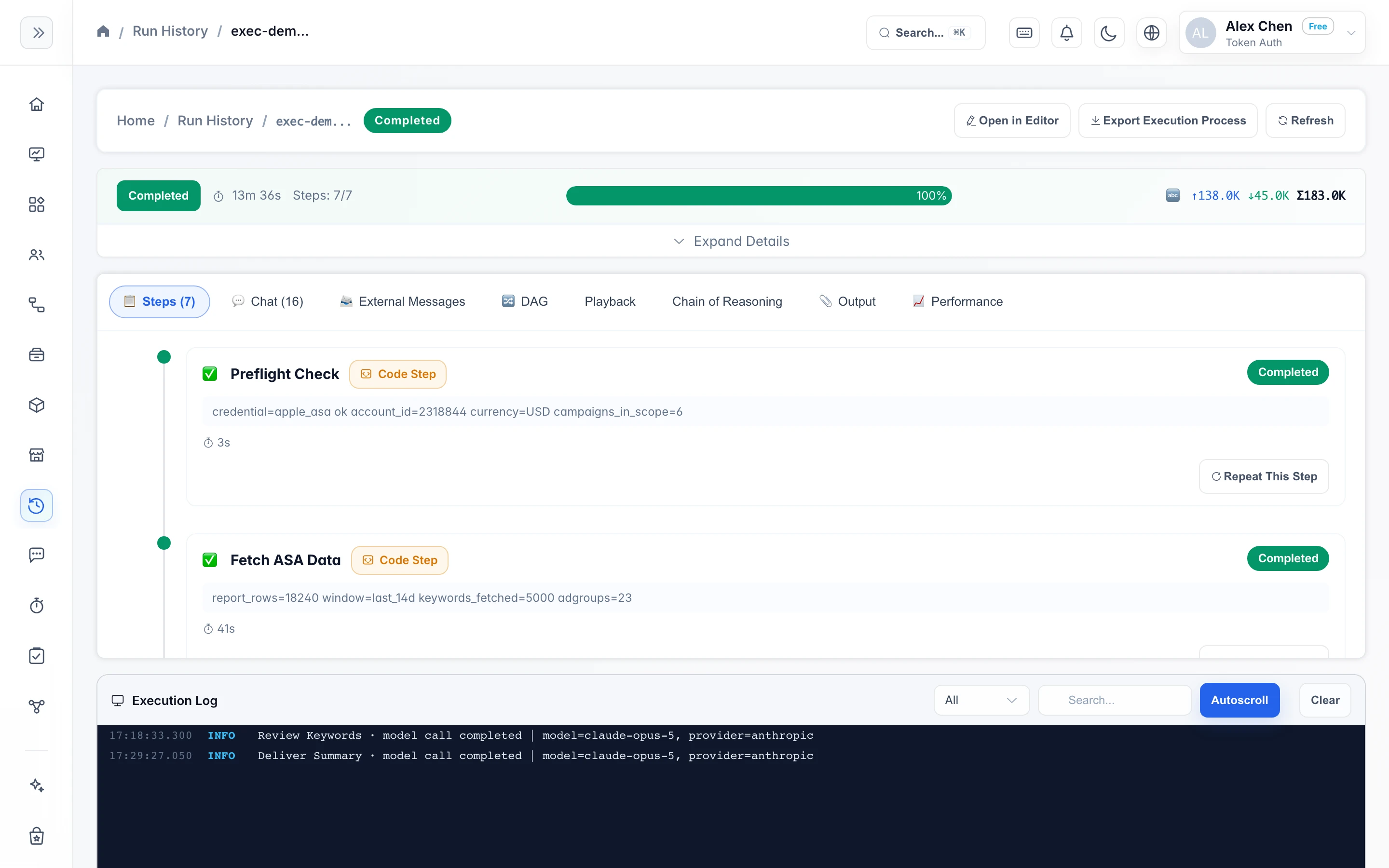
How long each step took and how much it cost—all queryable
The record of every execution stays on the details page; here's what you can see.
- Step timeline and logs: when each step started, how long it ran, and what it output—all one click away.
- Per-run token and cost accounting: each model call's usage is recorded in that execution, so the numbers reconcile down to the step level.
- The execution can be exported as JSON or YAML, for archiving or feeding into your own analysis scripts.
- The dashboard shows the run status and spend of multiple workflows on a single page.
- preflight_check3s—
- fetch_asa_data41s—
- review_keywords6m 12s138.0K
- approve_bid_changes4m 08s—
- apply_approved_bids1m 52s—
- verify_changes22s12.4K
- deliver_summary18s32.6K
Stop to check a variable, edit it, and keep running
When a workflow gets stuck on a step, you can debug it just like debugging code.
- 9 breakpoint types to stop wherever in the execution you care about.
- When paused, inspect each variable's current value one by one to pinpoint which step threw the data off.
- Change a variable value directly and keep running, without editing the definition and starting over.
⏸ paused · analyze_spend · breakpoint hit> vars.report_lang"zh-CN"> set vars.report_lang = "en-US"ok · variable updated> continue▶ resumed · analyze_spend → render_report → notify_slack
If it fails at 3 a.m., it resumes in the morning
Failure rerun and breakpoint resume are both built in, so a late-night failure doesn't need late-night handling.
Analytics Cookies
Every workflow's runs on one page
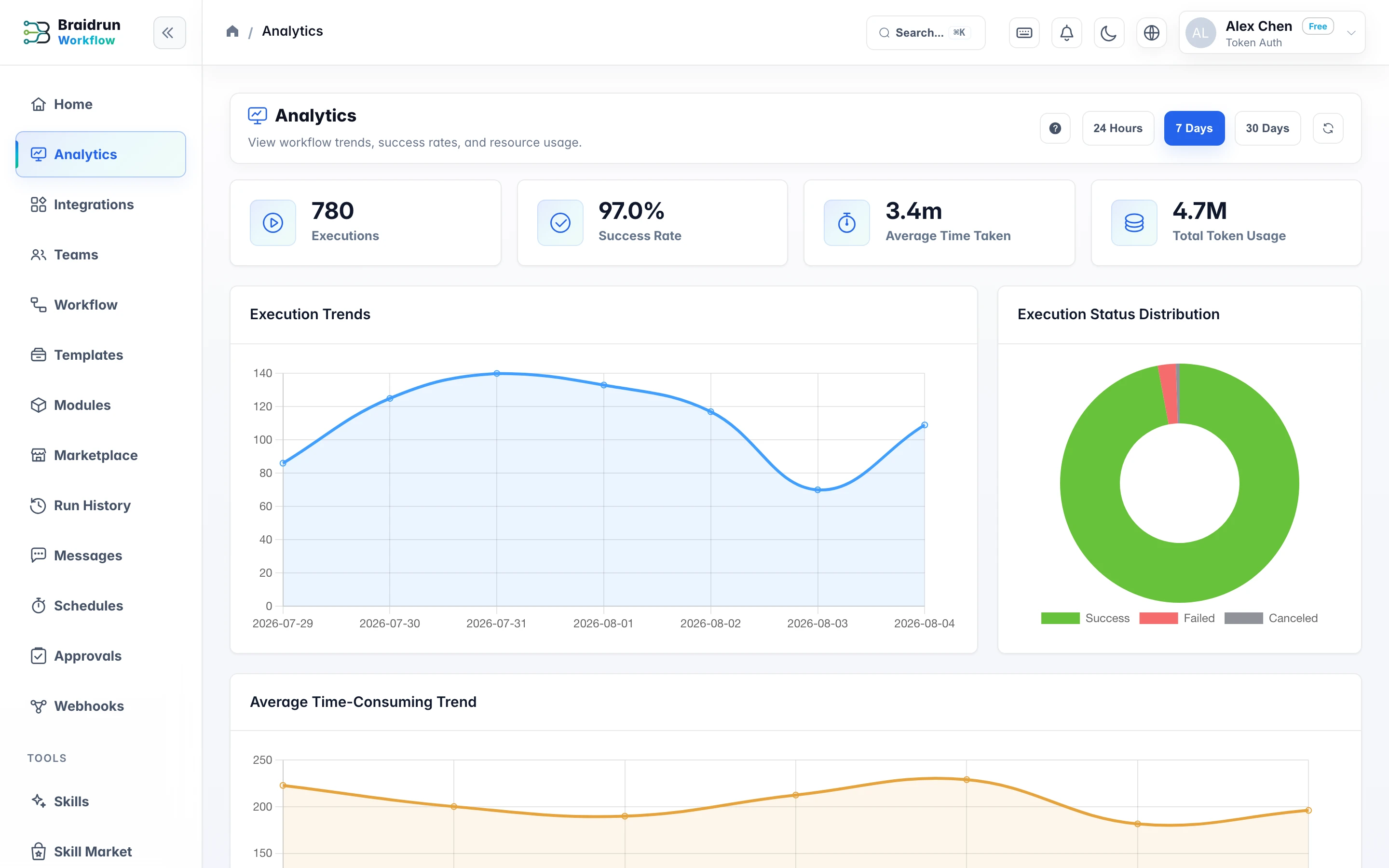
One run is a timeline; the overall trend is here — success rate, average duration, total tokens and status distribution, all aggregated over a time window.
- Switch between 24-hour, 7-day and 30-day windows
- Drill down by workflow to see which one is burning tokens
- Export a run as JSON or YAML and feed it to your own analysis scripts
Concurrency, retention, and budget caps, stated plainly
Cost is calculated from the calls actually made after an execution finishes; the platform doesn't provide a pre-run quote, and run quotas follow your plan tier.