Triggers & Integrations
Your system sends one POSTand an AI agent workflow runs
No model SDK to wire up, no retries or queues to manage. JSON fields map straight to workflow variables, and results go wherever you point them.
# One POST from your system triggers the workflow
curl -X POST https://your-host/api/webhooks/{id}/trigger \
  -H "X-API-Key: <your-api-key>" \
  -H "Content-Type: application/json" \
  -d '{
    "user_feedback": "PDF export keeps failing after upgrading",
    "user_id": "u_84021",
    "app_version": "3.2.1"
  }'

# Top-level fields map automatically to workflow variables of the same name
# Then: AI classifies → drafts a reply → sends after human confirmation
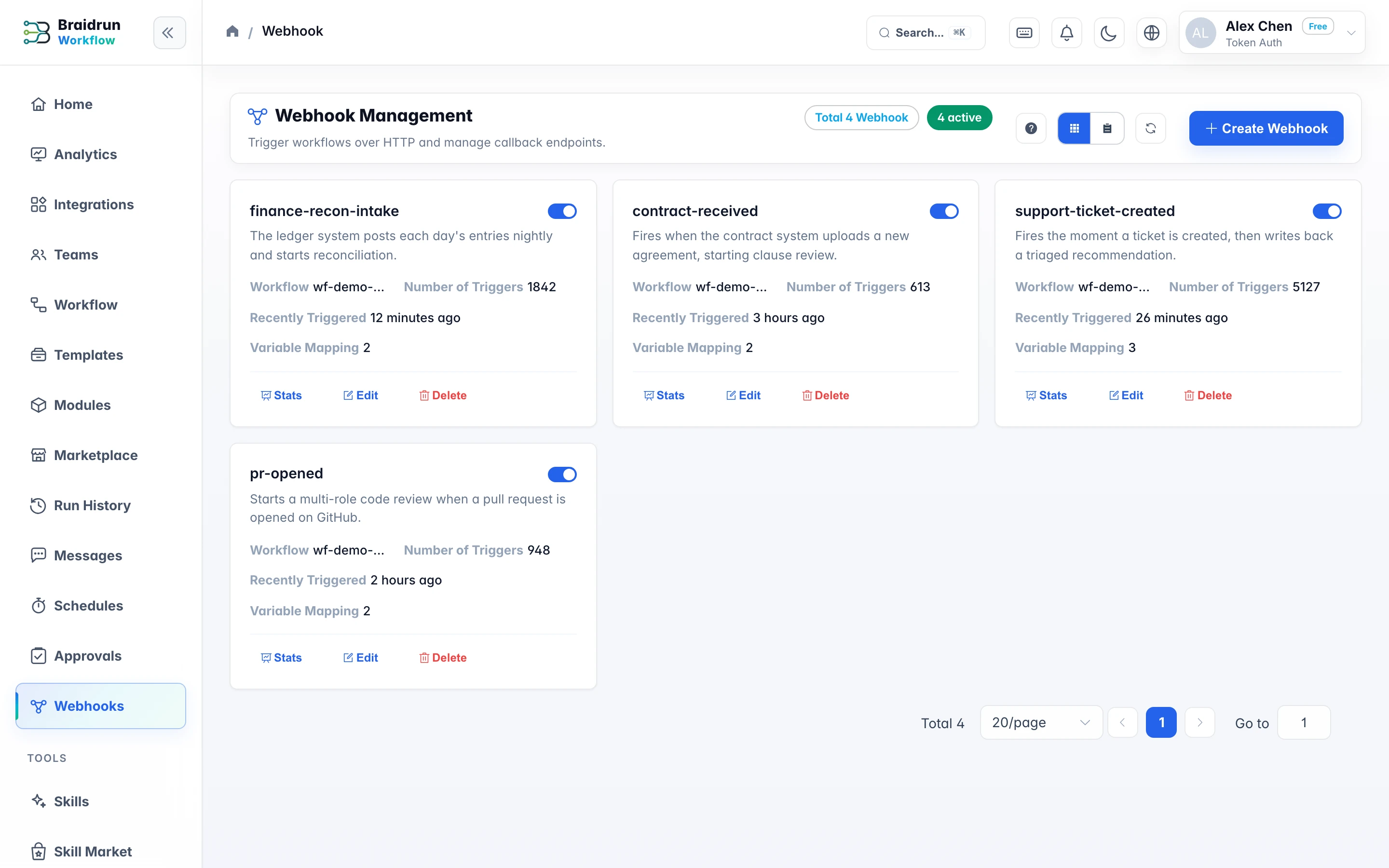
Webhook
The JSON you post becomes workflow variables
Top-level fields map to variables of the same name — no translation layer to write. Reference them in the workflow as {{var:field_name}}.
- Top-level fields map automatically; a nested object is passed through as one variable
- Undeclared fields are ignored and never pollute the workflow's variable table
- Authenticate with an API key or an HMAC-SHA256 signature — both are supported
- ticket_id{{var:ticket_id}}
- customer_email{{var:customer_email}}
- priority{{var:priority}}
- body{{var:body}}
- metadata{{var:metadata}}
Other triggers
Besides Webhook, three more ways to start a run
Clicking Run by hand works too. These three let a workflow follow a schedule, your own call, or the workflow before it.
Scheduled TriggerFive-field cron expressions with time zone settings, plus fixed intervals and one-time schedules; in multi-instance deployments, a distributed lock guarantees a trigger fires only once at any given moment.
REST APIThe v1 API has 14 endpoints: trigger executions, check results, download artifacts, and even respond to approvals from your own system. API Keys grant least privilege across 6 permission scopes.
Chained SchedulingThe DELAYED_COMPLETION trigger: after workflow A completes, wait N seconds, then trigger workflow B automatically; maxRuns sets an upper bound to keep the chain from running away.
Integration Examples
What it looks like once connected
Two common patterns: both start with a single POST from your system, leaving key actions for human confirmation.
Website form, wired to lead analysis
- A visitor submits the Contact Us form, and your backend POSTs the fields to the Webhook
- The AI reads the company name, message, and referring page to gauge lead intent
- High-intent leads stop at an approval step, a notification goes to Slack or email, and sales follows up after confirming
In-app user feedback, wired to classification and replies
- A user submits feedback in the App, and the server forwards a POST
- A classifier step sorts feedback into bug, feature request, and billing issue
- The AI drafts a reply, sent to the user only after human confirmation
Service connections
Authorize the services you need on the Connections page
Authorize Slack, Stripe or GitHub once on the Connections page and any workflow can use them. That page also covers what to do for services the directory doesn't list — a code step or an MCP server.
- Webhook Trigger DocsA full rundown of authentication methods, variableMapping field mapping, request examples, and the 1MB limit.
- v1 API ReferenceRequest and response formats for the 14 endpoints, plus a reference for the 6 API Key permission scopes.
- Third-Party AuthorizationsHow to authorize and verify the services in the directory, how to automatically connect the official module, and how to troubleshoot when the connection fails.
Connect your stack to your first AI workflow
Start on the Free plan and get a process working from a template; when you need scheduled and Webhook triggers, upgrade to Pro to enable them.